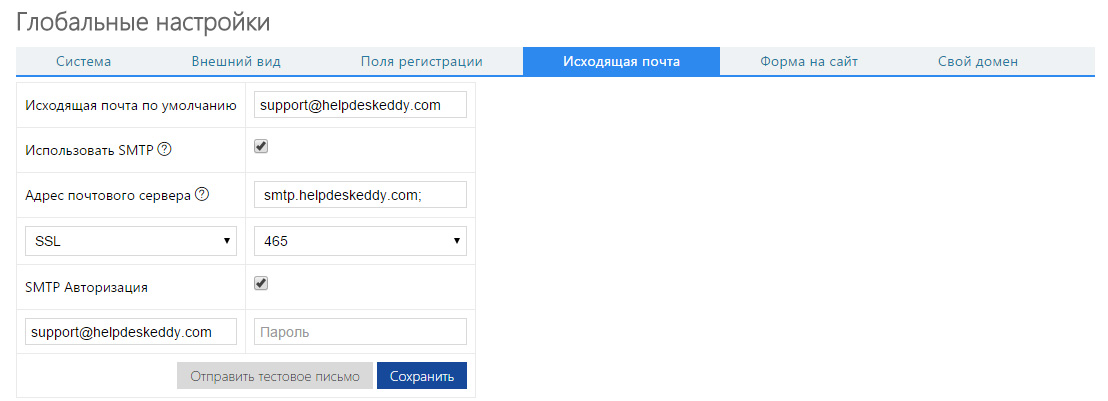
To use your own SMTP server, go to "System Management à Global Settings à Outgoing Mail".
Then check "Use SMTP". Specify the address and type of the mail server. If necessary, specify the user name and password.
After that click on "Send test letter" button. If all settings are correct you'll see notification that Test letter has been sent successfully.